
The version of Eli used over the last twenty years is now referred to as “Eli Classic,” while the rebuilt platform will simply be called “Eli.”
Eli Classic will remain fully available until August 2027, giving instructors plenty of time to continue teaching in the existing platform while exploring the new version of Eli at their own pace. Eli Classic will continue functioning normally during the transition period.
Finding Eli Classic
The Eli app login screen (app.elireview.com) is still the place to go to sign in for both the new and Classic Eli. Once inside, you’ll see a screen that looks somewhat familiar:
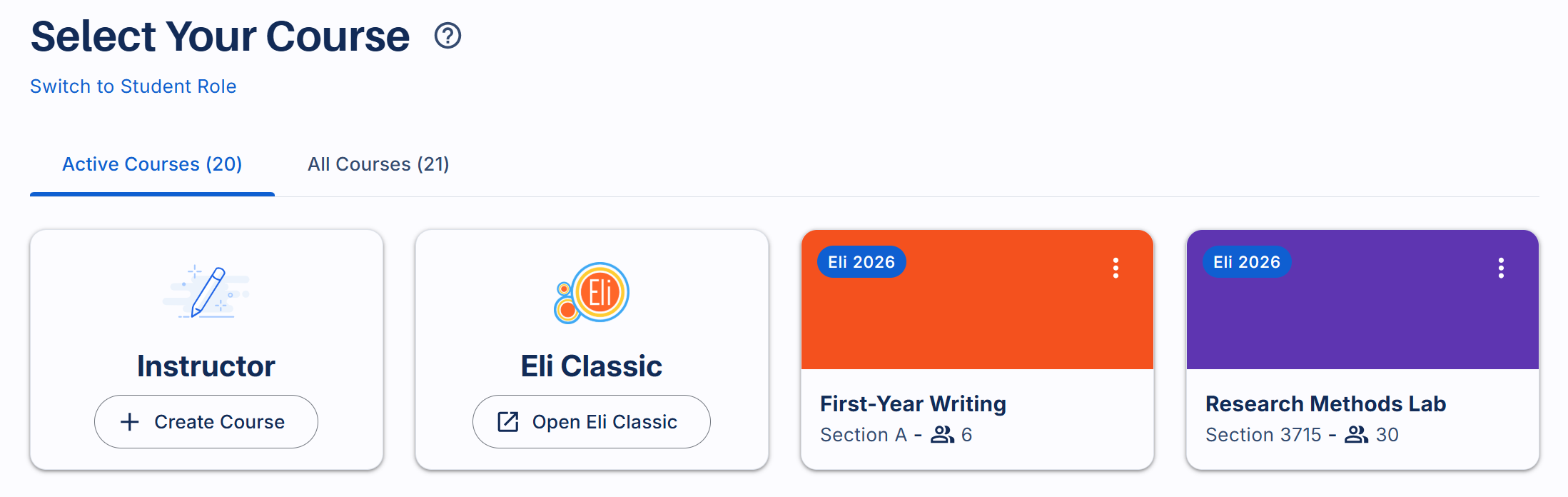
From here, you will see an option to “Open Eli Classic” – this will take you directly to your familiar instructor dashboard in Eli Classic, where you can continue running a course as you always have.
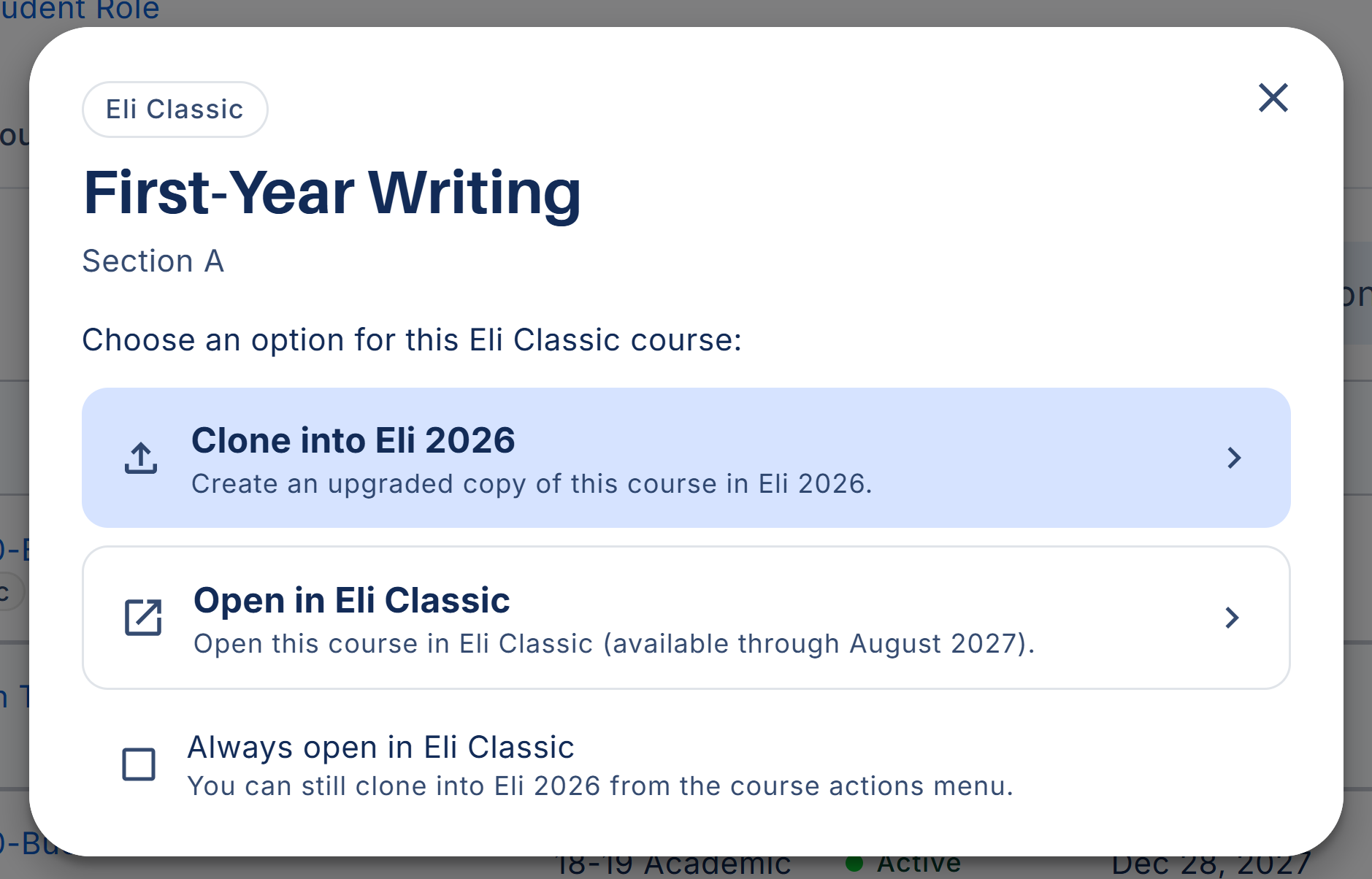
You will also see all of your active courses (in both Eli and Eli Classic) in your “Active Courses” list. There will be a bubble identifying which version that course was created in. Clicking an Eli Classic course will give you the menu below:
Using Eli Classic
From here, you have two options:
- Clone into Eli 2026: this creates a copy of your existing course in the new version of Eli while leaving the original Eli Classic course unchanged.
- Open in Eli Classic: this will take you directly to that course homepage in Eli Classic. The checkbox below will allow you to bypass this screen going forward.
Once you’re in Eli Classic (either the dashboard or course home) you can create bookmarks in your browser to go directly there, or continue signing in through app.elireview.com and using the links above.
Whether you choose to continue using Eli Classic for now or begin exploring the new version, both experiences will remain accessible through the same login and course dashboard.
—
We’ll be sharing much more in the coming weeks, including a new website, updated resources, and deeper looks at the thinking behind the scenes. For now, here are a few places to start:
- Live Now: start using the new Eli Review today
- Accessing Eli Classic: How to continue using the current version of Eli Review
- What’s New: A breakdown of the biggest changes in the new release
- Why We Rebuilt Eli: The story behind the rebuild and why incremental improvements were no longer enough
